Receiving offers

Receiving offers
Available offers depend on activity within your delivery zone and may vary throughout the day. Offers are generally available between 6:00 AM and 10:30 PM.
To become available to receive offers, you can turn on Spark Now from the Home screen. When Spark Now is active, you may receive available offers within your selected delivery zone.
Viewing offer activity
You can use the heatmap on the Home screen to view areas with higher offer activity.
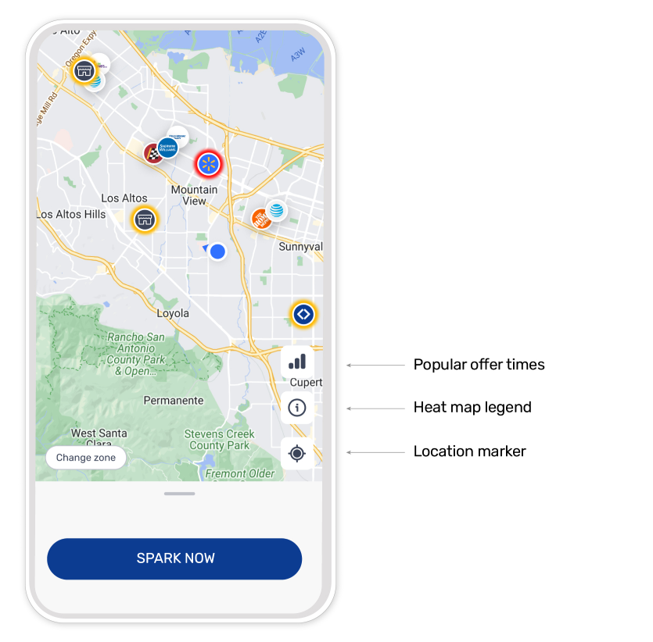
The heatmap updates regularly and shows real-time offer activity within your zone. Areas shown on the heatmap may change throughout the day based on demand.
Tap the heat map legend icon to learn more about the heat map.
Factors that affect offer availability
Offer availability may be affected by several factors, including:
- Activity in your delivery zone
- The number of available drivers in your area
- Your distance from pickup locations
- The types of offers available at a given time
- Features available in your delivery zone
Offers are not guaranteed and may change throughout the day.
Offer priority is generally based on your distance from the pickup location and your customer rating metric. In select delivery zones, offer priority may also be influenced by additional factors, such as trip preferences and Rewards eligibility.
Depending on your delivery zone, you may see features in the app that can affect offer priority, such as:
- Highlighted areas on the map where you are more likely to receive offers.
- Driver preferences based on your recent activity.
- Matching Priority based on your eligible Rewards tier.
Changing zones
To view neighboring delivery zones, you can tap Change Zone within the app.
Changing zones during an active incentive opportunity may affect your eligibility for that opportunity.
Offer details
The information displayed on an offer card may vary based on the offer type and your eligibility.
For information about understanding offer cards, see Understanding Offers.
Report an issue
For all other issues, you can give feedback in the Report an Issue section of the app. You can find it under Help > Report an Issue > Less offers.
