Accepting and completing offers

As an independent contractor, you can choose which offers to accept or reject.
Accepting offers
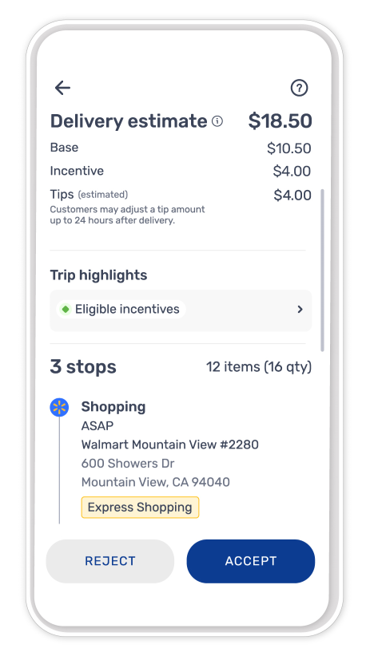
You can review offer details before deciding whether to accept an available offer.
If you’re ready to start accepting offers, you can:
- Turn on Spark Now from the Home screen.
- Review offer details by tapping the right arrow on the offer card.
- Tap ACCEPT if you'd like to accept the offer.
After an offer is accepted, trip information becomes available in the app.
Rejecting offers
You can choose not to accept an available offer. There is no requirement to accept available offers.
If you’d like to decline an offer you’ve received, you can:
- Turn on Spark Now from the Home screen.
- Review the offer details by tapping the right arrow on the offer card.
- Tap Reject if you’d like to decline the offer.
Trip details
After an offer is accepted, you can view details about the trip, including:
- Pickup notes
- Delivery information
- Customer notes, when available
- Trip status
Information available during a trip may vary by offer type.
Drop-off steps
After all drop-off steps have been completed, the trip may be marked complete in the app.
Depending on the type of offer, drop-off steps may include:
- Signature collection
- Age verification
- Return verification
When additional steps are required, instructions will be displayed in the app.
Trip completion
Once your trip has been completed, you'll receive a notification in the app that includes the finalized Trip Receipt with the complete earnings breakdown of the trip.
To view your trip receipts in the Earnings tab, see Navigating the Earnings tab.
Need help?
If you need help or have questions about a trip, you can contact support by tapping Help > Chat Now within the app menu.
If you have concerns about offer availability, you can submit feedback by tapping Help > Report an Issue > Less Offers.
- Driver Support cannot change or influence offer availability.
